A filler that stops twice per shift may look like a controls issue.
It may also be a worn change part, poor bottle handling, a sanitation reassembly problem, unstable upstream pressure, or an operator recovery step nobody has standardized.
That distinction matters before you approve an automation project.
If the plant automates the wrong failure mode, the new system will not remove the constraint. It will make the constraint faster, more expensive, and harder to troubleshoot.
This guide is for Canadian Food & Beverage plant leaders who are deciding where automation, robotics, machine vision, controls upgrades, MES, or AI should fit into the next capital plan.
In this guide, you’ll learn how to:
- Decide whether a repeat failure is ready for automation or still needs process stabilization
- Identify when robotics, vision, controls, MES, or AI will expose a weak upstream process
- Check whether sanitation, QA, maintenance, and operator recovery are designed into the scope
- Build an ROI case from measured losses instead of assumed labour or throughput gains
- Define pilot success before a vendor demo becomes a capital request
- Measure whether the system is actually easier to run after implementation
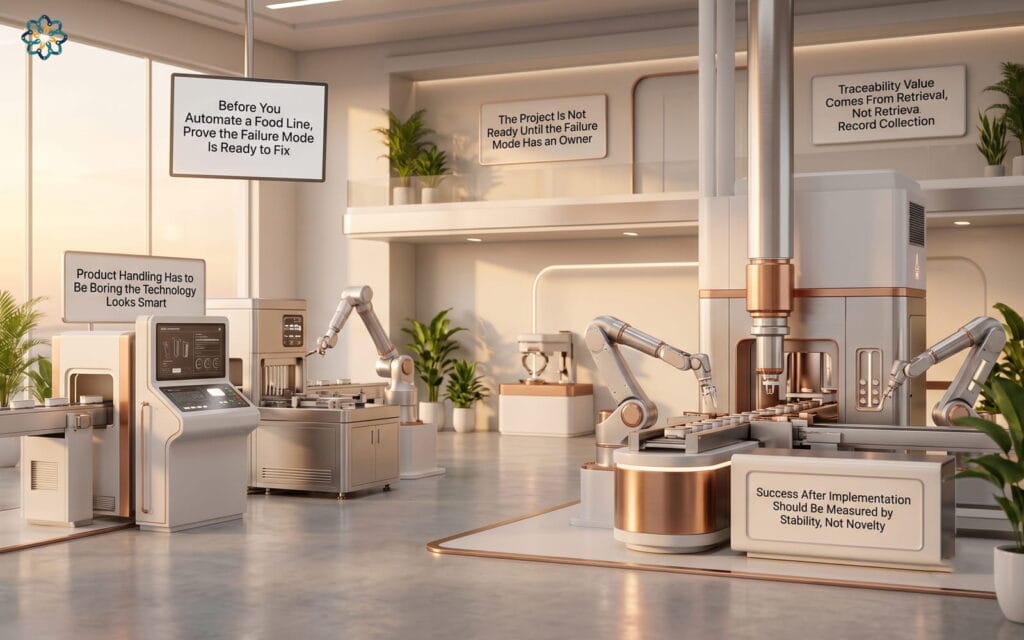
The Project Is Not Ready Until the Failure Mode Has an Owner
A useful automation project begins with a named loss and a named owner.
Not “Line 2 needs automation.”
Not “packing needs a robot.”
The plant needs to know which failure mode is being removed, who owns that failure today, and who will own the new response after installation.
For example, a recurring date-code issue may sit between operations, QA, maintenance, packaging, and scheduling. Operations sees the hold. QA sees the release delay. Maintenance sees the printer fault. Scheduling sees the missed order. Nobody owns the full chain.
A vision system may catch the bad code, but it will not decide who stops the line, who quarantines product, who confirms the correct lot, and who releases the restart.
That work has to be designed before the camera is installed.
A practical test:
- What exact failure are we trying to reduce?
- Where does it show up in downtime, giveaway, scrap, labour, QA holds, or missed orders?
- Who owns the response today?
- Who will own the response after automation?
- What decision will the system make easier?
If the answer is still “we need better technology,” the project is not ready.
The plant may need better fault categories, better shift notes, a tighter changeover checklist, or a clearer QA hold process before automation will create value.
Product Handling Has to Be Boring Before the Technology Looks Smart
Many automation projects are blamed on the wrong component.
The camera gets blamed when bottles are rotating before inspection.
The robot gets blamed when pouches arrive skewed.
The case packer gets blamed when corrugate quality changes by supplier.
The real issue is often product presentation.
Before you scope robotics or vision, watch the product move through the problem area during normal production, not during a cleaned-up demonstration.
Look for small variations that become large automation problems:
- bottles rocking after a transfer
- labels wrinkling near the inspection point
- pouches shingling before pick-up
- trays arriving out of square
- cases opening inconsistently
- product spacing changing after accumulation
- guides being adjusted differently by shift
- air knives, rails, or belts being treated as informal fixes
A robot cell needs repeatable infeed.
A vision system needs repeatable image conditions.
A checkweigher needs stable product transfer.
A recipe system needs mechanical positions that can actually repeat.
One beverage plant can install a strong code-verification camera and still miss value if bottles spin after the labeller. The useful fix may be a transfer adjustment, bottle control improvement, lighting change, reject timing review, and operator recovery standard.
The camera is only one part of the inspection system.
The system includes product control, lighting, trigger timing, reject confirmation, reject containment, HMI prompts, QA review, and restart rules.
A good rule of thumb:
If the automation supplier needs perfect product presentation to make the demo work, the plant needs to fix handling before buying the full system.
A Strong Business Case Separates Measured Loss From Meeting-Room Assumptions
Automation ROI gets weak when the plant counts savings that will not actually disappear.
Labour is the most common example.
A robotic palletizer may reduce manual stacking, but that does not automatically remove a full labour position from the schedule. The operator may still feed materials, clear jams, inspect cases, move pallets, handle rework, manage labels, or cover breaks.
The business case should separate three types of value:
Hard savings: costs that truly leave the operation.
Recovered capacity: more saleable product through a constrained asset.
Risk reduction: fewer QA holds, fewer traceability gaps, better ergonomics, cleaner audit evidence, or lower disruption risk.
All three can matter.
They should not be mixed casually.
Use plant data before quoting payback. Pull downtime records, QA hold logs, giveaway reports, changeover records, scrap reasons, maintenance calls, and staffing history. Then walk the line to validate what the numbers miss.
A useful ROI model asks:
- How many hours per month are lost to this exact failure?
- How much of that loss can the proposed system realistically remove?
- Which SKUs, shifts, or formats create most of the loss?
- What manual work remains after automation?
- What new work will the system create?
- What failure modes will still need maintenance support?
- What happens to output if the new system is down?
For example, automating case packing may improve throughput during labour gaps. But if the upstream wrapper starves the infeed every ten minutes, the robot will sit idle while still carrying depreciation, maintenance, spare parts, and training costs.
The ROI should reflect the whole cell, not the robot alone.
The Best Technology Choice Is Usually the Smallest One That Removes the Constraint
A plant does not always need a new machine.
Sometimes the higher-value project is a controls cleanup, better diagnostics, a reject upgrade, a sensor change, a recipe-management improvement, or a mechanical correction.
Use the simplest effective option first.
If operators lose time after nuisance faults, a PLC and HMI modernization may outperform a larger equipment purchase. Better alarm language, fault grouping, guided restart steps, and clean drawings can reduce recovery time every shift.
If giveaway is the issue, the answer may be checkweigher feedback, filler tuning, valve maintenance, product temperature control, or better process data.
If changeovers vary by crew, servo positioning and recipe control may help. But only if the mechanical settings are repeatable and access permissions are clear.
If QA holds are driven by missing production records, MES or electronic batch records may help. But only if the workflow removes duplicate entry and gives QA faster retrieval.
If date-code errors are the issue, machine vision may be the right fit. But only if QA defines acceptable print variation, the reject is validated, and operators cannot bypass the check without a controlled process.
Three mistakes to avoid:
Mistake 1: Buying the advanced tool before stabilizing the basic condition.
AI will not rescue inconsistent downtime codes. Robotics will not fix random product orientation. MES will not fix unclear ownership.
Mistake 2: Treating the vendor demo as proof of production readiness.
A demo proves the concept can work somewhere. The pilot has to prove it works with your SKUs, your sanitation routine, your packaging variation, your crews, and your recovery habits.
Mistake 3: Measuring only the technology output.
A vision system that detects defects but rejects the wrong pouch is not successful. A robot that runs well but takes too long to recover after a missed pick is not stable. A dashboard that nobody acts on is not an improvement.
The right technology is the one the plant can sustain after the integrator leaves.
Sanitation and Maintenance Constraints Belong in the Scope, Not the Punch List
Food plant automation fails when cleanability and maintenance access are reviewed too late.
By then, the frame is built, cable routing is fixed, sensors are mounted, guards are designed, and the project team is defending decisions instead of improving them.
Sanitation should review the concept before purchase approval.
Maintenance should review the concept before purchase approval.
Not after installation.
For wet, high-care, allergen-controlled, dusty, or sticky environments, ask practical questions early:
- Can sanitation clean around the robot base, guarding, sensors, and end-of-arm tooling?
- Are there flat surfaces, hollow sections, exposed threads, or harborage points?
- Will washdown damage sensors, connectors, labels, or cable entries?
- Can maintenance reach wear parts without removing half the cell?
- Are fault indicators visible from the operator position?
- Are spare parts standard across the site where possible?
- Can technicians back up and restore the PLC, HMI, robot, vision, and recipe files?
- Does the design allow safe access for cleaning and recovery?
A packaging robot in a dry area has a different risk profile than a robot near open product or a washdown zone. A sensor mount that is acceptable on a case conveyor may be unacceptable near exposed food contact areas.
The useful question is not, “Is this stainless?”
The useful question is, “Can this be cleaned, inspected, maintained, and restarted inside the real production window?”
If the answer is unclear, the scope is incomplete.
Traceability Value Comes From Retrieval, Not Record Collection
Food plants do not need more places to store records.
They need faster ways to prove what happened.
That is the difference between collecting data and improving traceability.
A system that captures lot codes, recipe versions, inspection results, reject counts, operator actions, packaging checks, and CIP status only creates value if QA can retrieve the right evidence quickly.
Otherwise, the plant has simply moved the search from binders and spreadsheets into disconnected screens.
Before adding MES, historian, electronic batch records, or QA software, define the investigation path.
Use a real scenario:
A customer reports a packaging issue on a private-label SKU produced last Tuesday night.
Can QA quickly see:
- finished product lot
- packaging material lot
- date-code verification status
- operator checks
- reject events
- recipe or specification version
- hold and release status
- sanitation or allergen changeover confirmation
- exceptions during the run
This is where automation can strengthen CFIA readiness and customer audit response.
But the system has to connect production events to QA decisions. If QA still has to reconcile HMI screenshots, paper forms, spreadsheets, emails, and shift notes, the project has not reduced the investigation burden.
A practical design rule:
Every record captured by automation should answer one of three questions.
What was made?
Was it made under the approved conditions?
Who reviewed the exception?
If the data does not help answer those questions, challenge why it is being collected.
AI Should Not Be Piloted Until the Plant Knows Who Acts on the Alert
AI can help with downtime patterns, predictive maintenance, yield analysis, giveaway reduction, energy optimization, and quality trend detection.
It can also create another dashboard nobody owns.
The difference is response design.
Before piloting AI, define the plant question clearly.
Weak question:
“Can we use AI for maintenance?”
Better question:
“Can we identify the operating pattern that appears before the capper creates unplanned downtime on Line 4?”
Then check whether the required data exists.
Predictive maintenance needs reliable failure history, asset context, sensor data, maintenance actions, and operating conditions. Yield optimization needs process variables tied to product, SKU, line speed, temperature, filler behaviour, and giveaway results.
If the plant only has inconsistent downtime codes and incomplete maintenance notes, the first AI project should not be a prediction model.
The first project should be data discipline.
Use this test before approving an AI pilot:
- What decision will the model support?
- What action should happen when the alert appears?
- Who owns that action on nights and weekends?
- What false alarms are acceptable?
- What missed events are unacceptable?
- How will the team know the model improved the operation?
- What process changes if the model is right?
A useful AI alert has an owner, a threshold, a response plan, and a feedback loop.
Without those, the plant gets noise.
The Pilot Has to Include the Conditions That Usually Break the Line
A pilot that only runs on day shift, one easy SKU, and freshly adjusted equipment does not prove much.
The plant needs to test the awkward conditions.
That includes changeovers, sanitation reassembly, packaging variation, product temperature changes, line speed changes, short crews, startup, shutdown, reject recovery, and fault recovery.
For a vision project, test glare, wet labels, curved containers, light print, dark print, bilingual packaging, promotional packaging, and supplier variation.
For a robot project, test missed picks, crushed cases, skewed product, emergency stops, guard entry, restart steps, end-of-arm changeover, and sanitation access.
For a controls upgrade, test alarm floods, power cycles, recipe selection, remote support, backup restore, and operator recovery.
For MES or traceability work, test exceptions. The normal run is not enough. The system has to handle holds, rework, partial pallets, ingredient substitutions, packaging changes, and QA release delays.
Define success before installation.
A useful pilot scorecard includes:
- target downtime reduction
- throughput impact at the constraint
- reject accuracy
- false reject rate
- recovery time after common faults
- sanitation acceptance
- maintenance access
- operator adoption
- QA record retrieval time
- changeover impact
- support calls during the pilot
The most important pilot question is not, “Did the technology work?”
The better question is, “Did the plant become easier to run under real conditions?”
Operators and Technicians Need Recovery Training, Not Just Operating Training
Training often focuses on normal operation.
That is not where the plant loses most of its time.
The team needs to know how to recover when the system is wrong, blocked, dirty, starved, faulted, out of sequence, or waiting for a confirmation.
Operator training should include:
- startup and shutdown
- recipe selection
- changeover steps
- reject handling
- false reject response
- missed pick recovery
- safe restart
- basic cleaning requirements
- when to call maintenance
- what not to bypass
Maintenance training should include:
- sensor setup
- mechanical adjustment points
- robot or motion recovery
- PLC and HMI diagnostics
- vision job backup
- safety circuit troubleshooting
- network components
- spare parts
- restore procedures
- escalation path
The best training uses the plant’s actual failure scenarios.
Create short recovery drills before handover. Do not wait for a 2:00 a.m. stoppage to find out whether the team understands the system.
A good acceptance test is simple:
Can a trained operator and technician recover from the five most common faults without calling the integrator?
If not, the project is not finished.
Success After Implementation Should Be Measured by Stability, Not Novelty
The first few weeks after startup can be misleading.
People are watching closely. Vendors are still available. Supervisors are giving the project attention. Operators may be working around issues to keep production moving.
Measure again after the system becomes normal.
A strong post-implementation review checks four areas.
Operational impact
Did the target downtime, throughput, scrap, giveaway, labour, or QA hold issue improve?
Use the same baseline definition from the business case. Do not change the math after installation.
Recovery performance
How long does it take to recover from common faults?
If the system runs well but recovery is slow, the plant may have gained automation and lost availability.
Support burden
How often does maintenance get called?
Which faults repeat?
Which parts fail?
Which adjustments drift?
Which screens confuse operators?
Record and audit value
Can QA retrieve better evidence faster?
Are exceptions clearer?
Are lot, recipe, inspection, reject, and release records easier to connect?
The final review should name what becomes standard for the next project.
That may include HMI standards, alarm language, PLC tag naming, vision setup rules, hygienic design preferences, spare parts strategy, backup procedures, training templates, and pilot scorecards.
One good automation project should make the next one easier.
If every project starts from scratch, the plant is buying equipment but not building capability.
A Practical Decision Framework Before You Approve the Project
Use this checkpoint before moving from idea to scope.
1. Failure mode
Can we name the exact loss this project will reduce?
2. Baseline
Do we have measured downtime, scrap, giveaway, labour, hold, or throughput data?
3. Process stability
Is product handling repeatable enough for automation to work?
4. Ownership
Who responds when the system flags, rejects, stops, or alarms?
5. Sanitation
Can the design be cleaned and inspected inside the real sanitation window?
6. Maintenance
Can technicians access, diagnose, repair, and restore the system without avoidable delay?
7. QA and traceability
Will the system make review and investigation faster, or create another record location?
8. Pilot conditions
Will the pilot include the SKUs, shifts, changeovers, sanitation steps, and faults that usually cause problems?
9. Training
Can operators and maintenance recover from common failures before handover?
10. Scale path
What standard will this project create for the next one?
If several answers are weak, pause the capital request.
That does not mean the project is bad. It means the plant has found the work that must happen before automation can pay back.
Automation Should Remove a Real Operating Burden
The strongest automation projects do not feel like technology showcases.
They remove a repeated burden from the plant.
A better vision system prevents bad product from moving downstream and gives QA usable evidence.
A robot cell stabilizes output without creating a fragile recovery process.
A controls upgrade helps operators and maintenance find the fault faster.
An MES layer makes production and QA records easier to trust.
An AI model answers a specific operating question and tells someone what to do next.
The approval test should be strict.
Do not approve the project because the technology fits the problem.
Approve it when the failure mode is measured, the owner is named, the process is stable enough, sanitation and maintenance constraints are built into the design, and the pilot will test the conditions that usually break the line.
That is the difference between buying automation and making the plant easier to run.